
Corner Desk Ideas for Every Home Office
If you have a spare corner, you have room for a desk. Here’s how to set one up, starting with the one in our den.
Uplift sent me a V3 desk to review. My opinion is my own.
You don’t need a corner desk to work in a corner.
Mine is a RightAngle Bonita, a straight standing desk. I’ve been using it in a corner of our den since 2020.
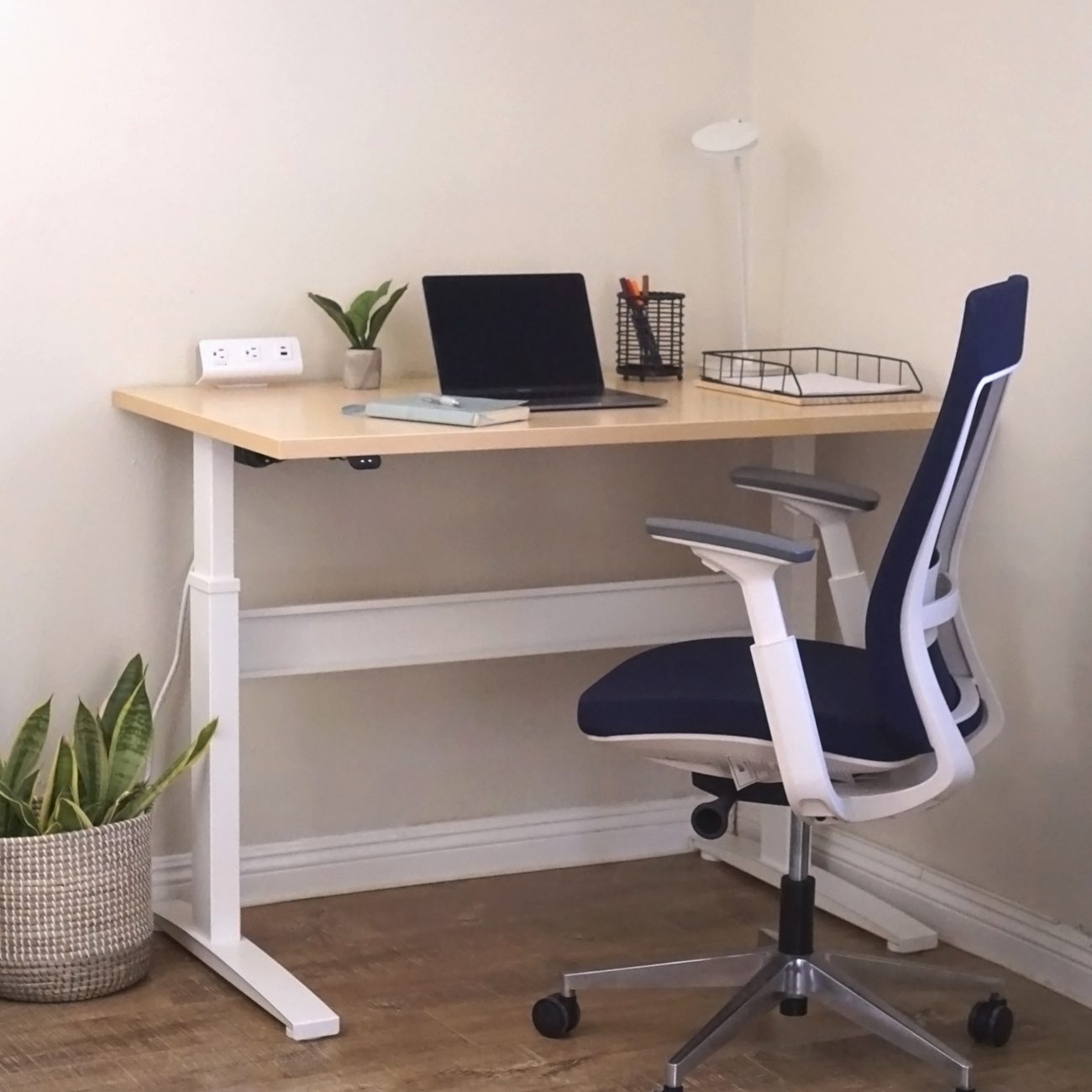
Whatever room your corner is in, a bedroom, the den or a spare room, there’s more than one way to set it up. Here they are, with the page that goes deeper on each.
Jump to a section
Can a regular desk work in a corner?
Yes, and it’s the simplest way to do it. Push a straight desk into the corner and it runs along one wall, which leaves the rest of a bedroom or a den free for everything else the room does.
You give up surface. You get one desk’s worth of depth, so if you want room to spread out along both walls, an L-shaped desk suits you better.
If you want to stand while you work, I think a straight desk is the easier one to buy. For a desk tucked into a corner like mine, a plain straight top is all you need. And if you’d rather have the corner shape, you can get the Bonita ET with a corner top.
Should you get an L-shaped desk?
Get one if you want work surface on both walls. An L fills the corner of a spare room well, and it gives you a side for the computer and a side for everything else. Put the monitor in its corner, the one part too far away to reach into.
If the desk is going in a bedroom, leave room behind your chair. A desk chair rolls back diagonally out of a corner, toward the middle of the room.
The Nedyo is the better rated of the two L-shaped desks I’d buy, and its corner stays open underneath, so your knees have room. The Barbarino is the one with a hutch, three drawers and a cabinet.
Can you stand at a desk in a corner?
Yes, and there are three ways to do it.
The easiest is a straight standing desk tucked into the corner, which is how mine sits. If you want a desk that goes down low, pick the Uplift V3. It drops lower than the FlexiSpot E7 Pro.
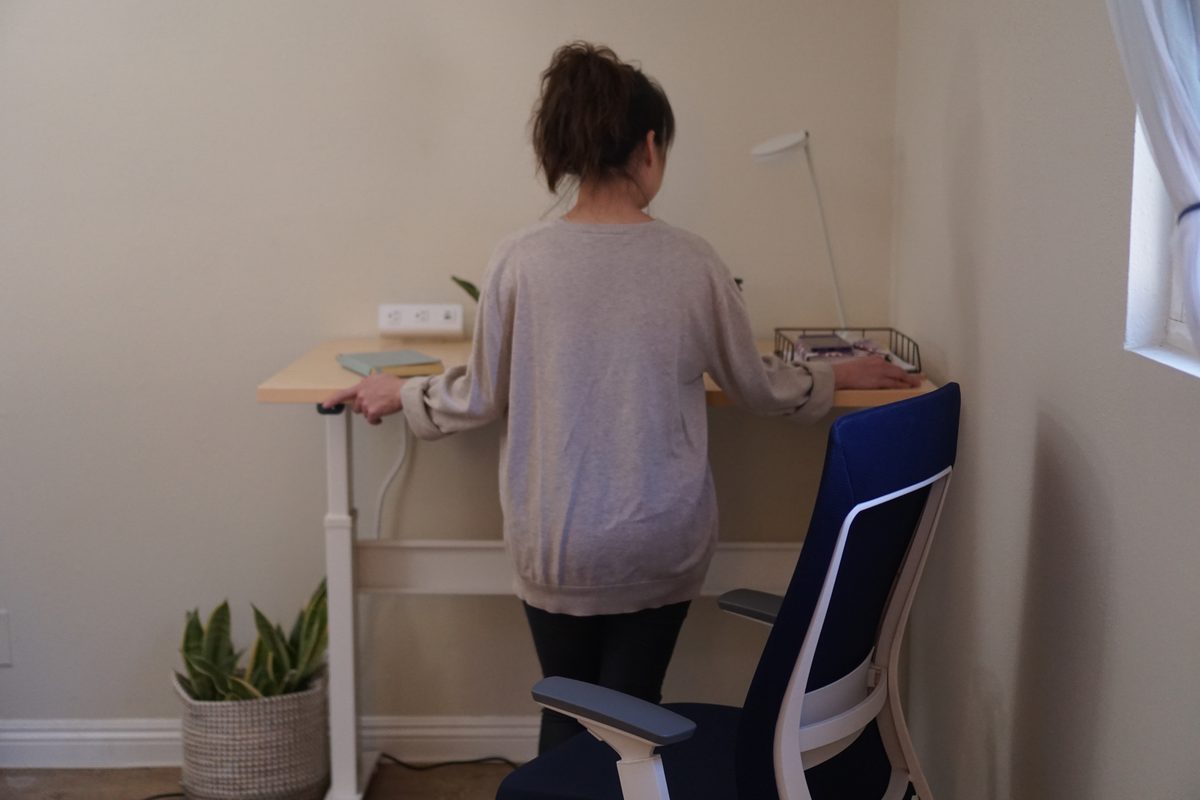
The second is a standing desk shaped for the corner. On the Bonita ET, the L-shaped tops add a third leg at the inside corner, so they carry more weight. Its corner tops with two legs carry less and keep that leg out of your knee space.
For most people I’d take the two-leg top, because your knees get the corner to themselves.
The third is to keep the desk you have and put a converter on it. Measure one side of your desk straight back from the front edge to the wall, and skip the diagonal into the corner. Most converters need 24 inches there.
FlexiSpot vs UpliftWhy the Uplift V3 is the pick for a desk that goes down low
Height-adjustable corner desksStanding desks shaped for a corner, and which top leaves your knees room
Converters on a corner deskWhich converters fit on the desk you already have, and the one depth to measure
What chair goes with a corner desk?
Buy the chair for your body first. The corner only changes how much room you need behind you.
I own two of the chairs below. The Elevate has been my daily chair in my office for six years, and it has served me well. Its cylinder has just started to fail this year, but for the price you can’t go wrong with it.
The iOO has been a great chair, extremely comfortable and adjustable. To me it’s a great alternative to the Herman Miller Aeron, and it’s still going strong. This is a chair I’d buy again.
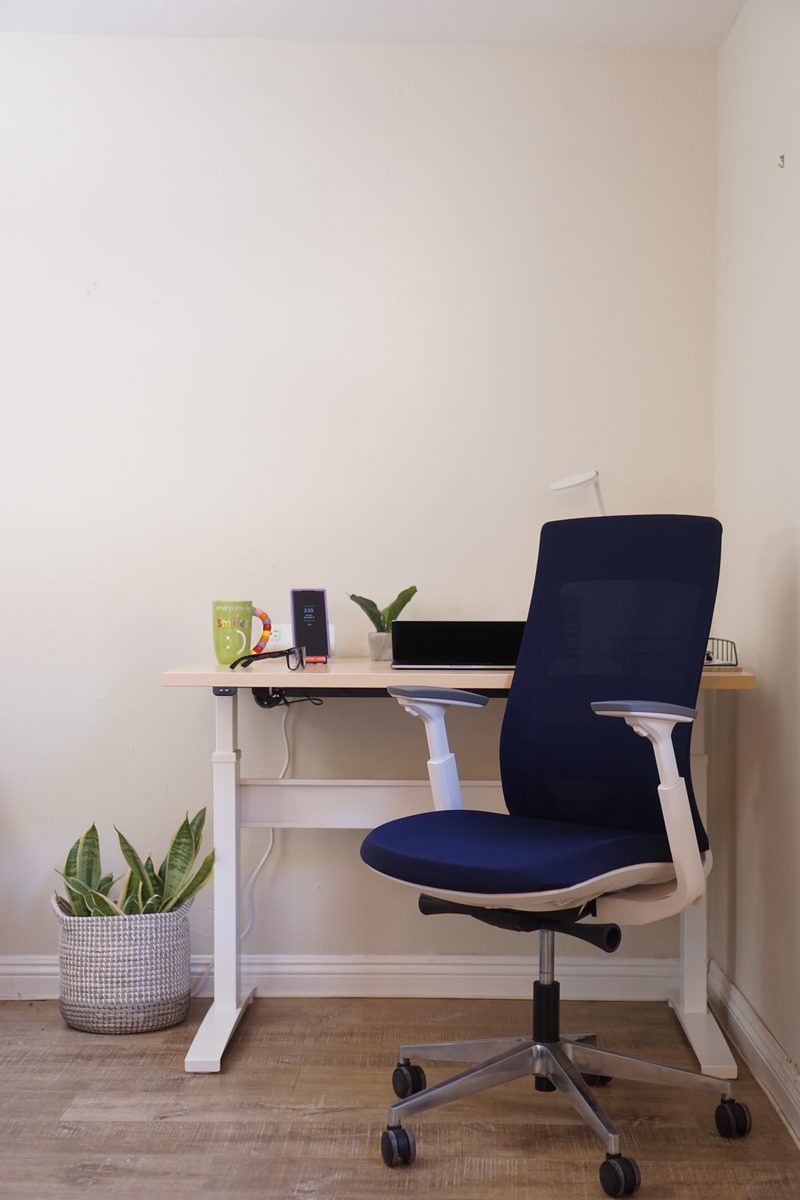
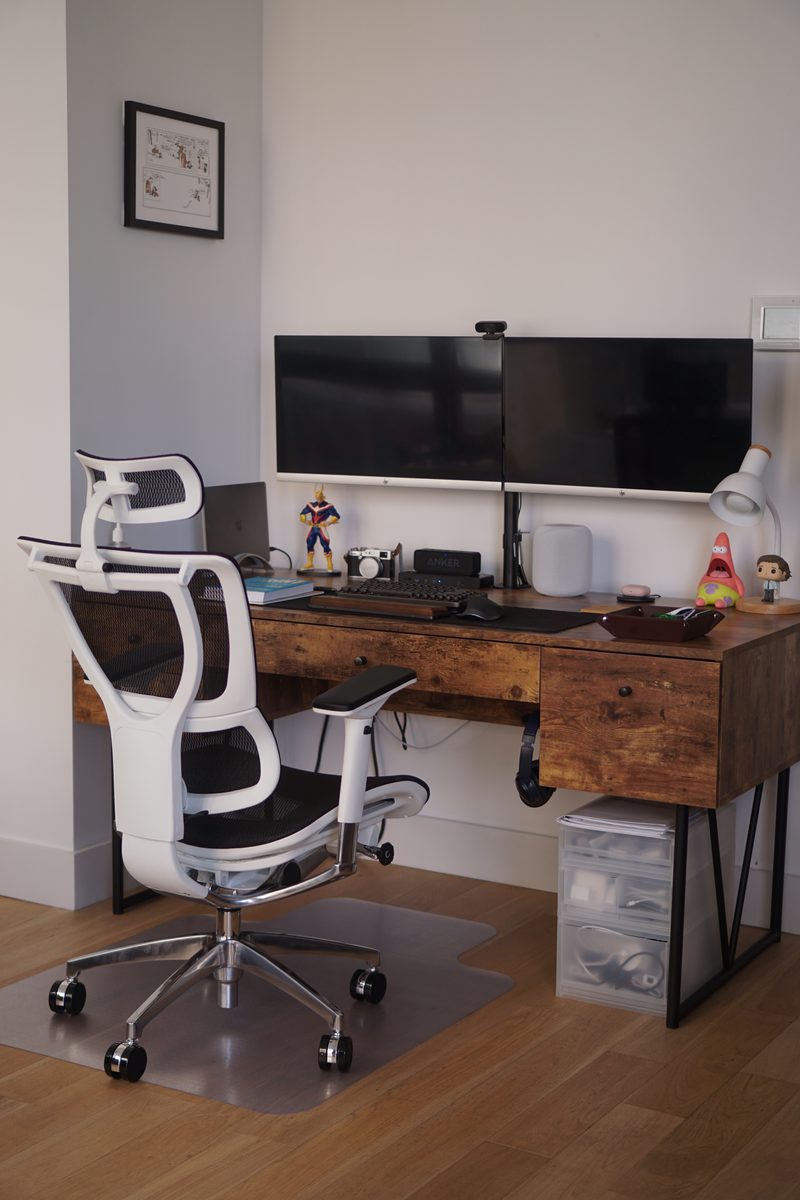
If you’re under about 5 foot 4, check the seat height before anything else. The Vera’s seat doesn’t go low enough for you.
Eurotech iOO, now Ergohuman XTREMEExtremely comfortable and adjustable, and a chair I’d buy again
Eurotech VeraA mesh chair for anyone about 5 foot 4 or taller
Tempur-Pedic office chairsWho really makes them, and which mesh chair to pick
Why put the monitor in the corner?
On an L-shaped desk, put the monitor in the corner. You can’t comfortably reach that spot, but it’s a comfortable distance to look at. Everything you touch all day, the keyboard, the mouse, your notebook, goes on the two sides of the L where you can reach it.
A straight desk in a corner, like mine, has no deep corner to fill, so the monitor goes in front of you against the wall.
Then go one step further and put the monitor on an arm clamped to the back edge. The stand comes off the desk, and you get back the deepest part of the surface, which in a corner is the hardest part to use anyway. I think it’s the best change you can make to a desk without buying a new one.
It works on a straight desk too, where the back of the desk comes free. If you run two monitors, the Kata 2 holds both on one arm.
Kata 2 dual monitor armTwo monitors up to 42 inches each on one arm, off the desk
The Corner Is What Breaks a BattlestationWhere the monitor sits in a corner setup, and how thick a desk a clamp-on arm can grip
Where do the lamp and the storage go?
Off the desk, wherever you can, so the part you can reach stays free for work.
Light
A lamp with a weighted base sits for good on the part of the desk where you actually work. In a corner I’d get a light that clamps to the top of the monitor instead. It never touches the desk.
Fellowes LilyA bright task light for close work, with a 10-year warranty in writing
Amble LED task lightNo longer made, and where to find one now
Storage
If the desk has to be the whole office, pick one with the storage built in. Drawers take up legroom, though, so look at the underside in the photos before you order one.
On the Barbarino, a drawer tower sits under one end and open shelving under the other, so your knees go in the space between them. Up top, the hutch takes the papers and books that would otherwise pile up around your monitor, and there’s a spot for a desktop computer too.
Every work nook page
- Amble LED Task Light
- Best Height-Adjustable Corner Desks 2026
- Best Monitor Arms for Small Desks 2026
- Best Monitor Light Bar for a Small Desk in 2026
- Best Standing Desk Converters for Corner Desks 2026
- Birdi Perching Stool Review
- Bonita ET Review
- Ergotron WorkFit-TX Review
- Ergotron WorkFit Comparison
- Ergotron WorkFit Corner Review
- ESI Enmo Table Review
- Eurotech Elevate Review
- Eurotech iOO Review
- Eurotech Vera Review
- Fellowes Elea Chair Review
- Fellowes FlexCharge Review
- Fellowes Levado Desk
- Fellowes Lily LED Review
- Fellowes Lotus, DX and LT
- Fellowes LX220 Review
- FlexiSpot E7 Pro vs Uplift V3
- FlexiSpot E7 Standing Desk Review
- Is Ergonomic Furniture Worth It? What the Trials Found
- Kata 2 Dual Monitor Arm Review
- Setting Up a Healthy Battlestation in a Corner
- Special-T Ella and Aim Desks
- Tempur-Pedic Office Chairs
Corner Desk Dimensions: Sizes and What Fits
How Deep Does a Corner Desk Need to Be?
24 inches deep suits most rooms. At 20 inches there’s room for one monitor at most, and at 36 the corner sits too far back to use.
The numbers
- Desk work surface height: 28 to 30 in (Dimensions.com)
- Desk depth: 20 to 36 in (Dimensions.com)
- Leg clearance under the desktop: 20 to 28 in high (OSHA)
- Monitor distance from your eyes: 20 in minimum (OSHA)
- Wall corner on a 24 in deep desk: 34 in from the front corner of the desk, too far to reach and right for the monitor
- Surface from two 48 in runs, 24 in deep on both walls: 12 sq ft
The short answer
Get a corner desk 24 inches deep for most rooms, or 30 if you use two monitors. That clears the minimum monitor distance with room to spare, and every inch deeper sticks out farther into the room, on both walls at once.
Why a Corner Gives a Desk More Room
OSHA’s computer workstation guidance says plainly that “using a corner rather than a straight run of desk may provide additional space and depth to accommodate large monitors or multiple items”.
A straight desk gives you depth in one direction. A corner gives you depth in two, and the extra depth appears exactly where a monitor wants to sit. On a shallow straight desk, there’s never quite enough room for one.
Corner Desk Depth and Reach to the Wall Corner
On an L-shaped desk against two walls, the wall corner sits diagonally away from the front corner of the desk, where the two front edges meet. The distance is the desk depth multiplied by the square root of two, because you’re measuring the diagonal of a square whose sides are the desk depth.
| Desk depth | Distance to the wall corner | What that means |
|---|---|---|
| 20 in | 28 in | Tight. Single monitor only |
| 24 in | 34 in | The sweet spot for most rooms |
| 30 in | 42 in | Dual monitors fit. Eats a lot of floor |
| 36 in | 51 in | The corner is now genuinely wasted |
How far the desk runs along each wall makes no difference to this at all. A 48 inch run and a 72 inch run put the corner in exactly the same place.
Only depth moves it, so check the depth on a listing before the run lengths.
Where the Monitor Goes on a Corner Desk
At 24 inches deep the wall corner sits about 34 inches from the front corner of the desk, and farther still from your eyes. A monitor should sit at least 20 inches from your eyes, so that spot clears it comfortably.
So the corner takes the monitor, and everything you touch often goes on the two sides of the L, within easy reach.
Put the monitor on an arm. It returns roughly ten by eight inches of the deepest surface, and on a corner setup that surface was the hardest to use in the first place. A weighted lamp base costs you another eight inches of the side of the L where you actually work, so look at desk lighting that clamps on instead.
Corner Desk Dimensions to Measure Before You Buy
| Measure | What you need | Why |
|---|---|---|
| Both wall runs | At floor level | A corner desk touches two walls, so both runs need measuring |
| Desk height | 28 to 30 in | Dimensions.com |
| Leg clearance | 20 to 28 in high | OSHA. A leg or a drawer pedestal can sit right where your knee goes |
| Depth | 24 in for most people | Sets the monitor distance and the whole footprint |
| Chair clearance | Room to roll back | You roll back diagonally out of a corner, into the walkway rather than along the wall |
Does it fit the nook?
Two 48 inch runs at 24 inches deep give you 12 square feet of work surface, enough for the computer on one side and everything else on the other.
The catch is the chair. A bench slides sideways, a task chair rolls backwards, and out of a corner it rolls backwards diagonally into the middle of the room. In a bedroom, check that space before you choose the desk.
L-Shaped Corner Desks, Compared
Check the knee room under the corner before you buy. Neither of the two listings below publishes a knee clearance figure, so look at the underside in the photos.
Inbox Zero Nedyo 52″ L-Shaped Desk: best rated, and the corner stays clear
The corner stays open underneath, with no drawers in the way, so your knees have room. The long side takes the computer and the shorter side takes everything else, and three outlets and two USB ports are built into the desk.
It will hold up to 185 lb, and it comes in three widths, 48, 52 and 58 inches. The 48 is the one to look at for a bedroom corner.
The catch. The 36 inch height on the listing seems to include the monitor shelf. Check the work surface height with Wayfair before you order, so you know it suits your chair.
Where to buy
Nedyo 52 in desk at WayfairView17 Stories Barbarino 58.3″ L-Shaped Desk with Hutch: most storage, least legroom
If you need the desk to be the whole office, this is the one. A hutch rises above the desk, three drawers and a cabinet sit below it, and there’s a place for the computer tower too.
The hutch stands 61 inches off the floor, so check it clears any shelf or window above the spot.
The catch. A drawer tower sits under one end of the long side and open shelving under the short side, so your knees go in the space between them, running into the corner. Check that space in the photos against how you sit before you order.
Where to buy
Barbarino 58.3 in desk with hutch at WayfairViewHow these get checked: methodology.
Corner Desk Wobble
Buy from somewhere with a return policy you’ve read, put your elbows on it, and send it back if it moves. You can’t tell whether a desk wobbles from a spec sheet.
Corner Desk Questions
What corner desk measurements do you need?
To measure a corner desk space, start with both wall runs at floor level, because the desk touches two walls. Then settle the depth, 24 inches for most people, and check for 20 to 28 inches of leg clearance under the desktop.
How deep should a corner desk be?
24 inches suits most people. That puts the wall corner about 34 inches from the front corner of the desk, and farther still from your eyes, past the 20 inch minimum for a monitor. You also skip the footprint of a 30 inch desk on two walls at once.
Does a longer corner desk give me more usable space?
More surface, yes. More reachable surface, only along the sides.
Run length doesn’t change how far away the corner is. Depth does.
Can I put the monitor in the corner?
Yes, on a corner desk it’s the best place for it, because you can’t reach that far for anything else. Better still, put it on an arm and get the surface underneath back too.
What about a standing desk in a corner?
The simplest way is a straight standing desk tucked into the corner, which is how mine sits in our den. If you want an L that rises, the height-adjustable corner desks roundup covers them.
Sources (3)
- Dimensions.com, desk dimensions, read Sep 26, 2026
- OSHA, computer workstation desks, read Sep 26, 2026
- Wayfair listings for the Nedyo L-shaped desk and the Barbarino L-shaped desk with hutch, prices and ratings, read Sep 26, 2026
How these numbers get checked: methodology.