
Uplift V3 Review: A Sturdy Standing Desk for a Home Office
If you’re thinking about getting an Uplift V3, I can tell you what the smallest one is like to put together and work at, and which add-ons I’d keep.
Some links here earn me a commission if you buy, and it doesn’t change your price. How this works
Uplift sent me a V3 desk, a drafting chair and desk accessories to review. My opinion is my own.
The short answer
Yes, the Uplift V3 is worth it if you work long hours at a computer and plan to stand for a lot of that time. Get the V3 from Uplift, because mine doesn’t budge at standing height, even when I lean on it.
When I suddenly had to start working from home, I badly needed a standing desk. So I put one together out of a piece of plywood and a folding stand with casters. My laptop sat on a stack of books.
It was a pain, and I was kind of laughing at myself looking at the whole setup. I worked like that for a few weeks.
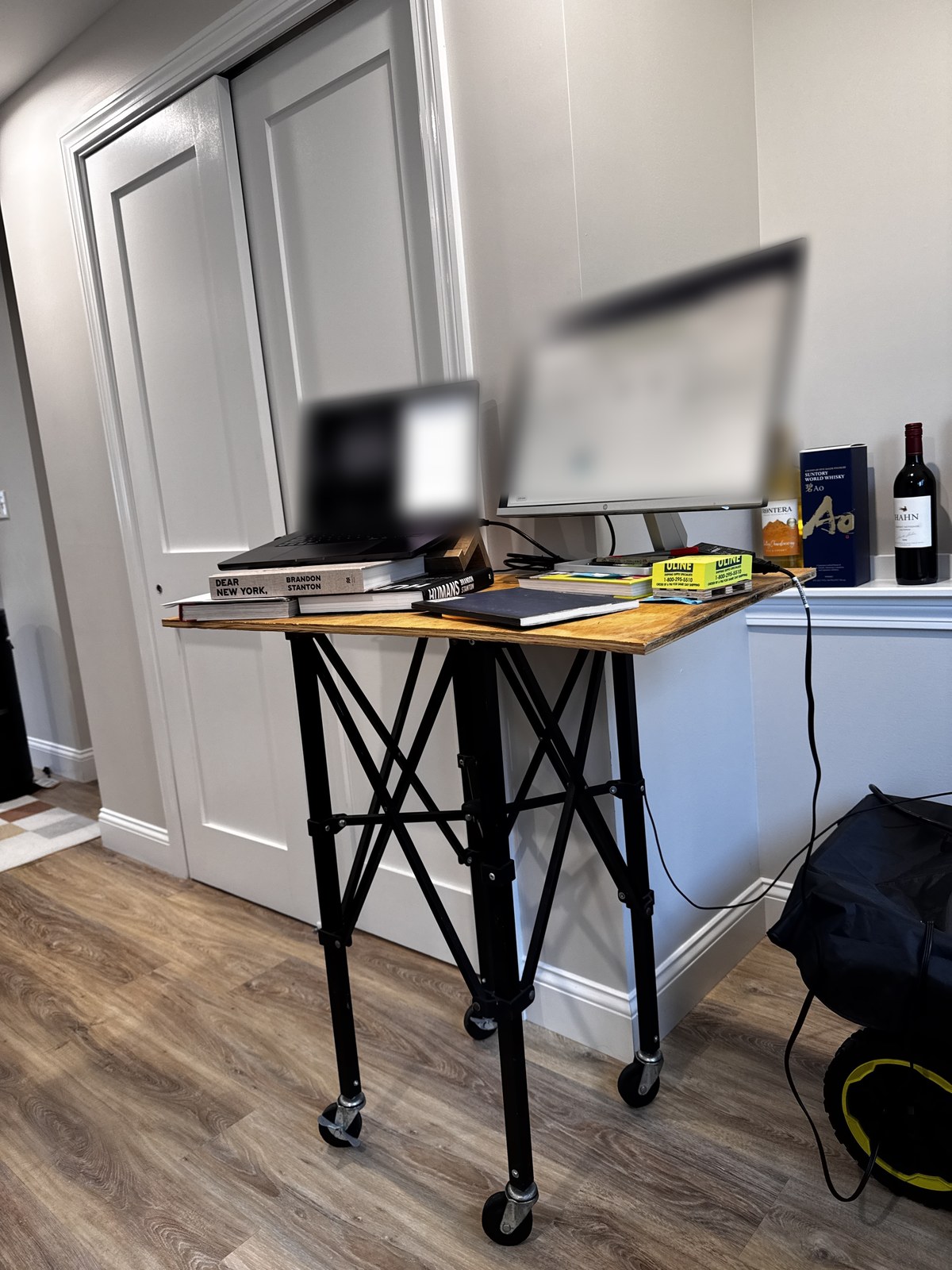
Then in October, I finally built an Uplift V3 in my home office, and I’ve been using it there since.
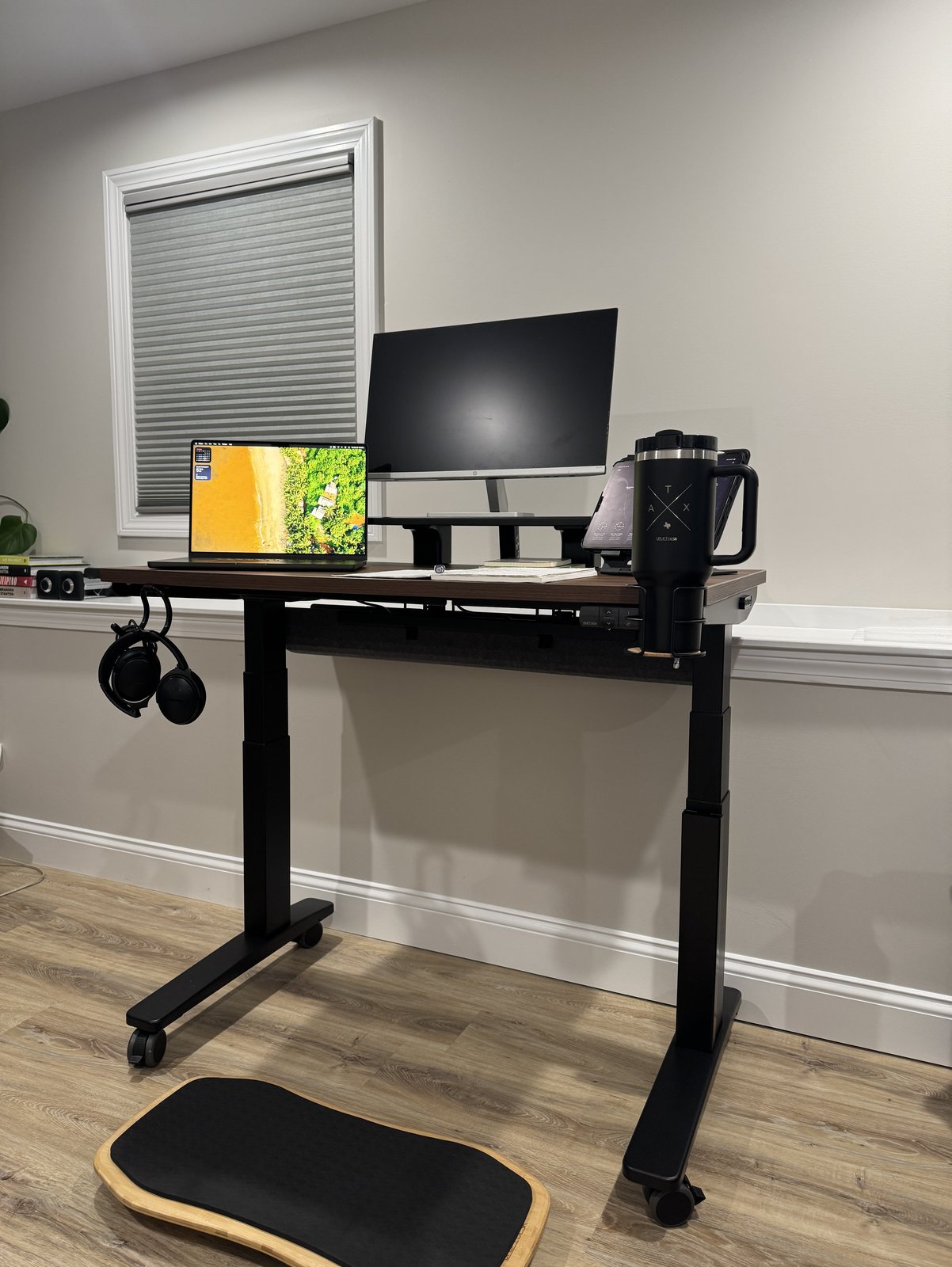
I set the desk up in a corner by the window, because it seemed like a cozy spot where I could focus on work. Plus, the V3 looks like it was made for that corner, and it fits in perfectly.
So my desk ended up in an actual corner nook. For a review on a site called Corner Nook, how great is that?
But it might not stay there. I’m just trying the spot out for now. I love that the desk is on casters, which are an add-on, so I can easily move it around when I want to.
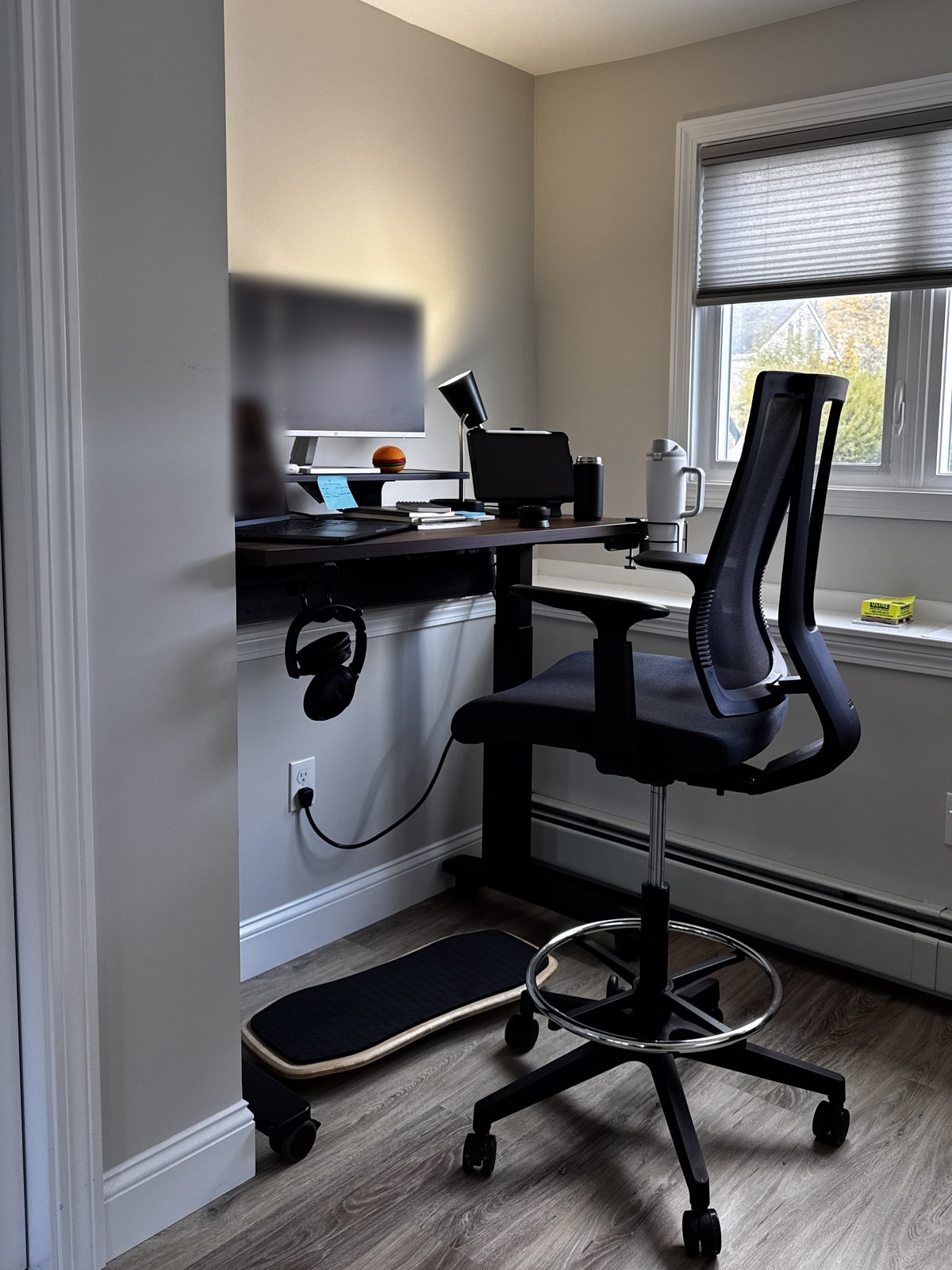
What a difference! After the plywood and the stack of books, it’s so nice to work at a real desk.
The numbers
- Height with a 1-inch top and no casters: 22.6 to 48.7 in
- Fits: 5’0″ to 6’3″ tall, Uplift’s fit range
- My size: 42 x 24 in, the smallest the V3 comes in
- Build: about an hour and a half
- Warranty: 15 years on the desktop, frame, motors and electronics
- Trial: 30 days, with free returns on parcel orders
Delivery
Your boxes can ship from different warehouses and show up on different days, so open each one when it arrives and check it against your order.
My first shipment came up short. The leg brackets got lost in transit, and I couldn’t build the desk without them.
In the meantime, I worked at the dining table. It wasn’t bad, since I was sitting on the drafting chair, which was in those first boxes.

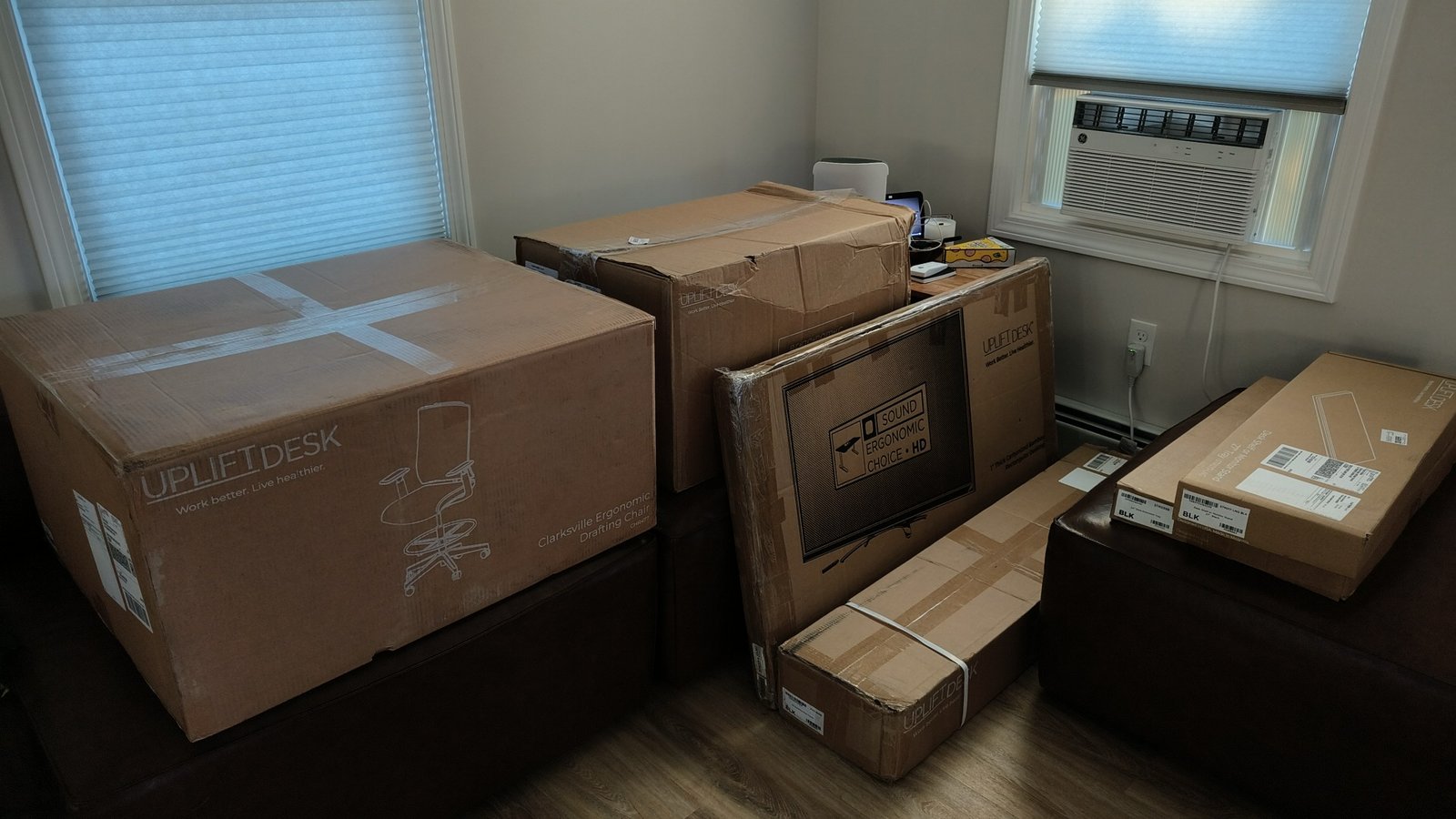
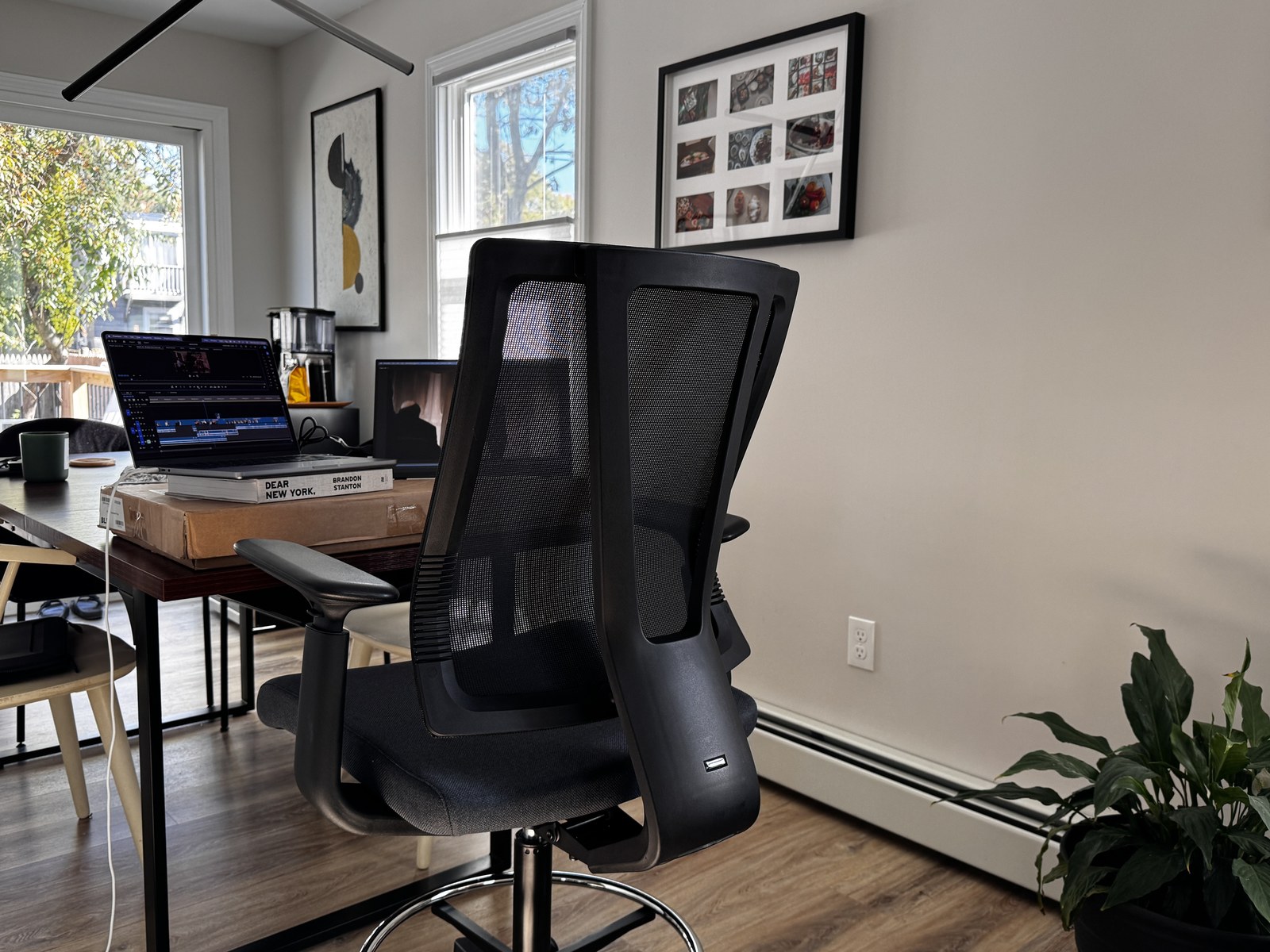
Uplift was very good and understanding about the missing brackets. They sent us a whole second desk, and it showed up pretty quickly. They kept following up, too, to make sure we had everything we needed.
We got this desk from Uplift to review, though, so you might not get the same treatment. When pieces go missing or show up damaged on a regular order, owners say Uplift usually fixes it fast.
Putting it together
Once I had all the parts, building the desk took me about an hour and a half, and a lot of that was just unboxing.
The frame goes together with one Allen wrench. There’s a printed manual, plus a QR code that takes you to a video. If you’d rather skip the build, you can pay for Uplift’s assembly service after you order.
The hardest step was turning the built desk upright. It’s super heavy, and that was the only time I needed my wife’s help. Otherwise, everything went together fairly easily.
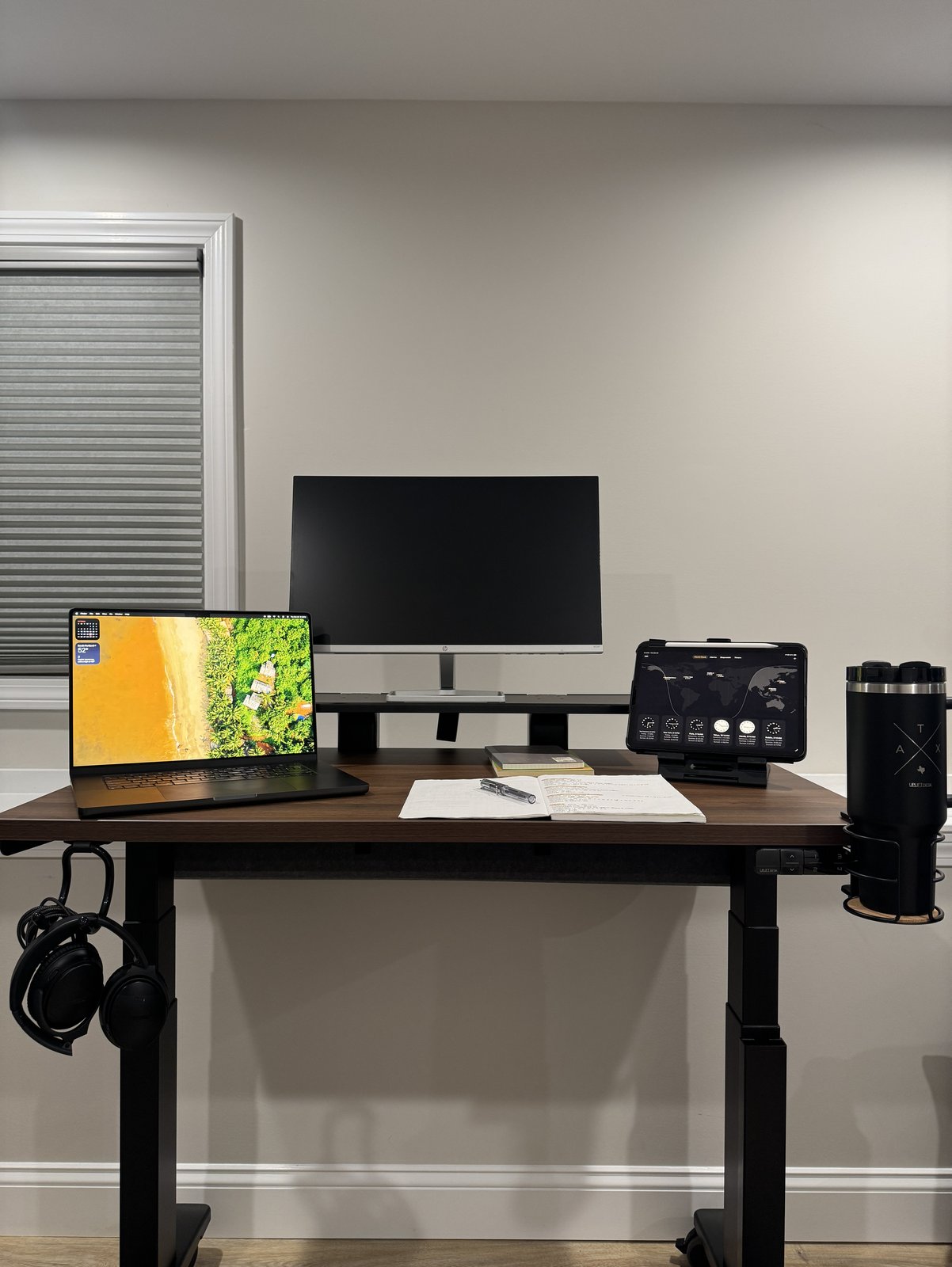
The walnut top
The first desk had a bamboo top, and the second one just happened to come with walnut. I’m glad it did. I liked the walnut better because it looks more modern, so that’s the one we decided to use.
Uplift’s website photo played up the walnut’s grain, but in person it’s more subtle.
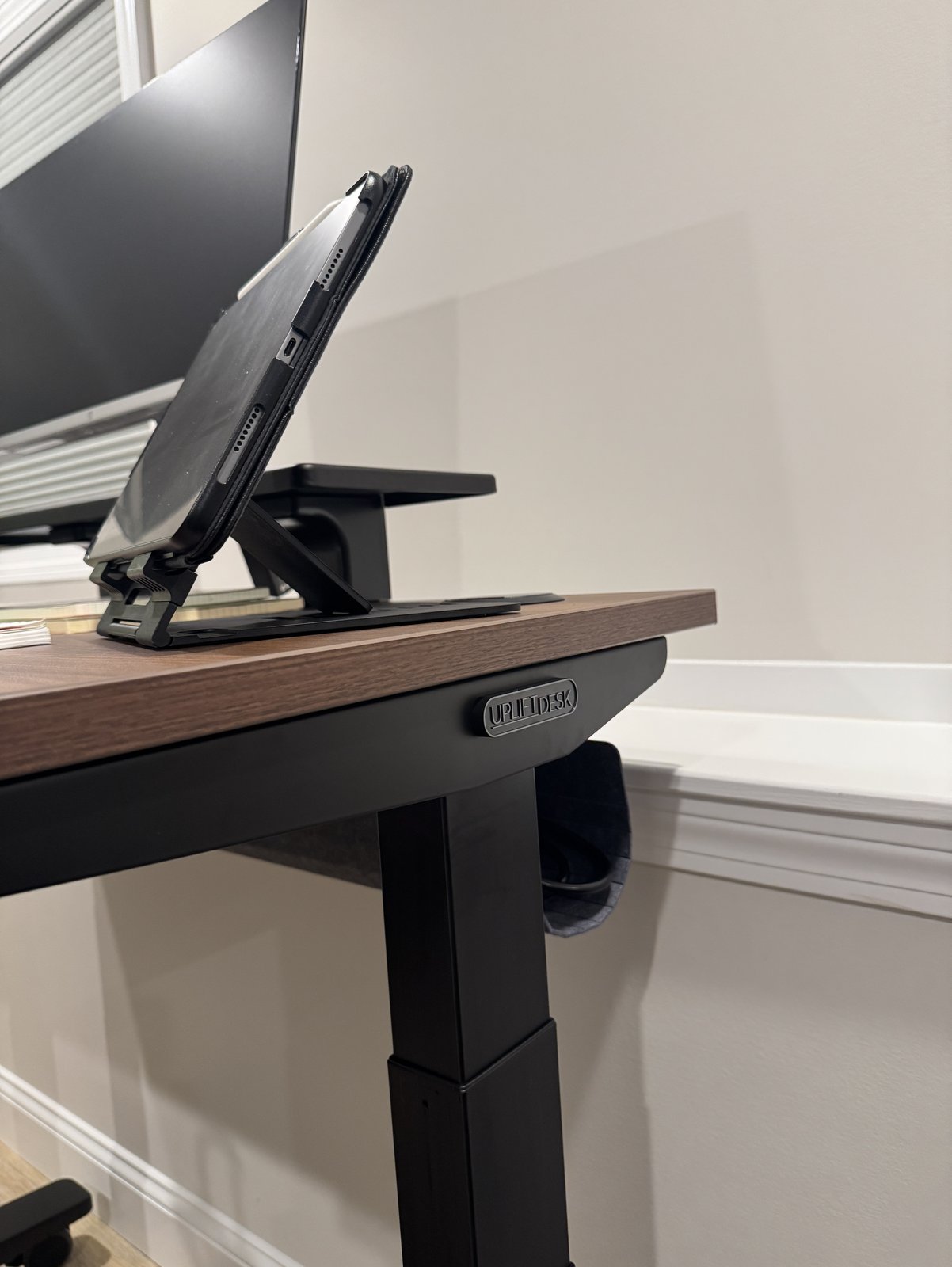
Is it real wood? Not solid wood, no. It’s a laminate surface over a core that’s mostly recycled wood, and it’s water-resistant.
If you’d like a different look, the other laminates, like Heritage Oak, cost about the same as the walnut, and the solid wood tops cost a lot more.
Working at it
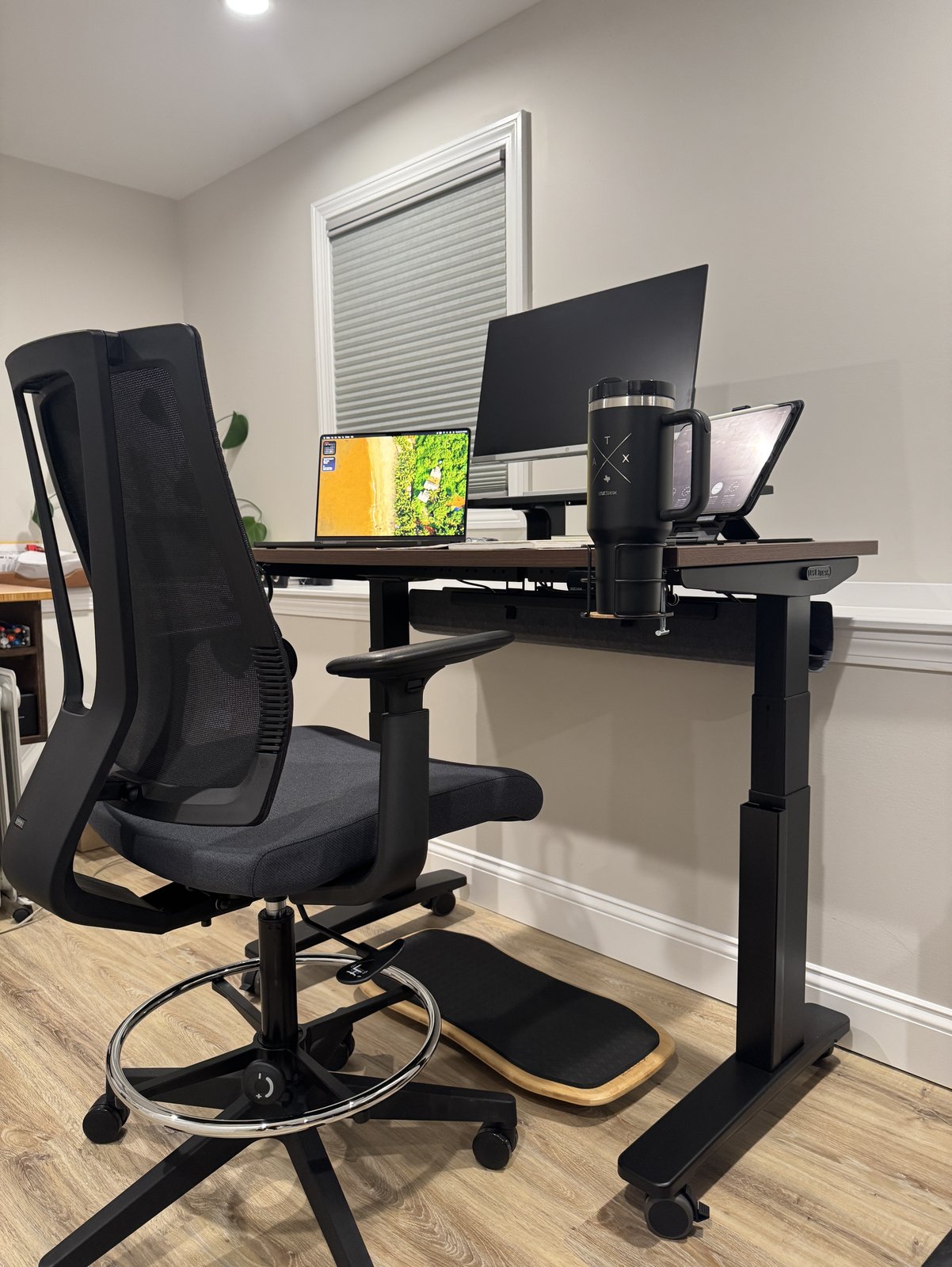
I stand at the desk most of the time. When I do sit, it’s on Uplift’s Clarksville drafting chair, for 10 minutes at most.
My V3 doesn’t wobble at standing height, whether I’m leaning on it or typing hard.
Uplift braced the legs with crossbar rails under the top, so there’s no bar down by your knees.
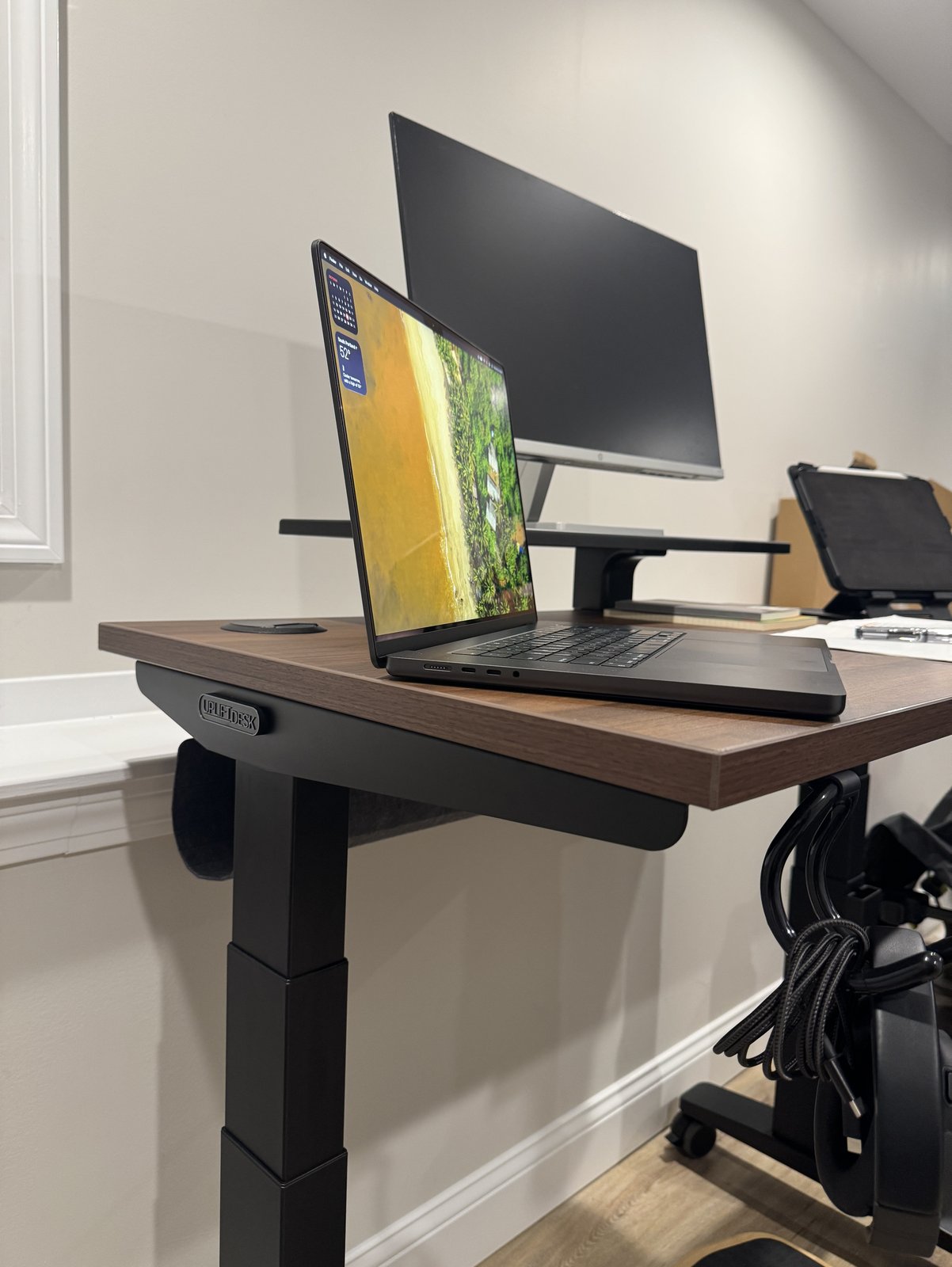
On a 24-inch-deep top, the frame is 23.6 inches deep, so there isn’t much room left underneath for a drawer or a keyboard tray.
The motor’s noticeable when the desk moves, but it isn’t loud. Business Insider measured it at 46 to 56 decibels and compared it to a fridge humming. A full trip from lowest to highest takes 13 seconds, so the sound doesn’t last long.
The add-ons
The gray felt pouch under the back comes with every V3, along with cable wraps, and it keeps all my wires organized. It holds up to 10 pounds of cords and adapters, and you can put a surge protector in it, too.
I was surprised by how easy the pouch is to unhook when I need to grab a charger. On the flip side, it gets cramped fast if you try to stuff in too many bulky power bricks.
The add-ons I’d keep are the hook, the tablet stand, the desk shelf and the cable channel. The hook clips under the edge, and the desk shelf clamps on without any drilling.
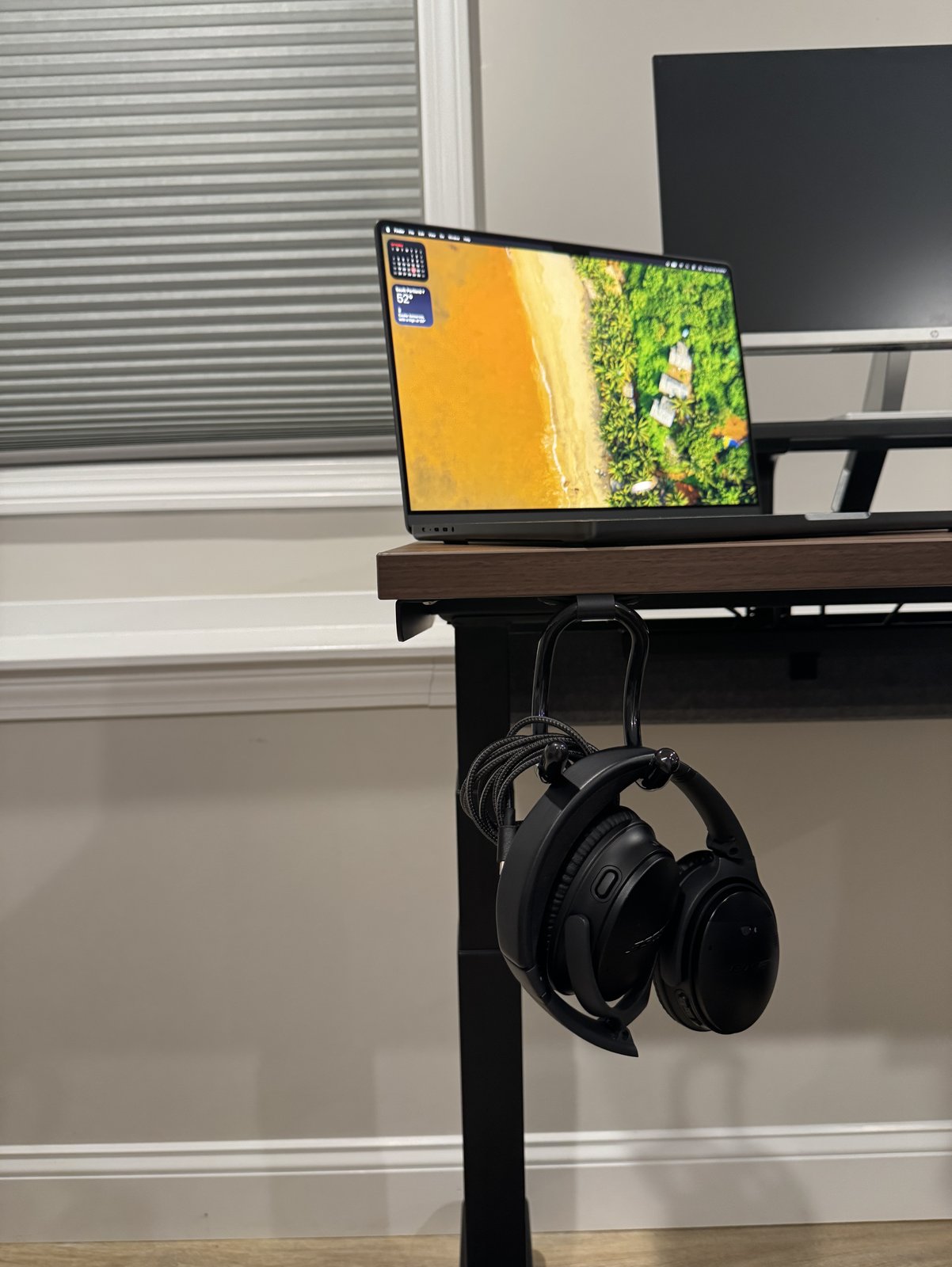
There are two I’d skip. The extension tray adds 12 inches to one end, and it was too big for this desk and my space.
The Pop Up Power Grommet gives you outlets and USB charging, but I needed a slot to run more wires through. If you need that too, go with the grommet covers, which rotate open for cords.
I’m still on the fence about the Motion-X board, which sits on a rounded base so you keep moving while you stand. I tried it, but I haven’t gotten much out of it yet. Maybe I’ll get the hang of it eventually.
What I love
- A felt pouch for all the wires
- An easy build
- A modern-looking walnut top
Good to know
- A two-person job to turn it upright
- A noticeable motor
- A frame that takes up nearly the whole underside of a 24-inch-deep top
Should you buy it?
The Uplift V3 is exactly the standing desk I needed when I started working from home. I just wish I’d had it from day one. Now when I sit, I drop the desk low enough that my shoulders aren’t hunched up.
Who it fits
Buy it if you work long hours at a computer, especially on more than one screen, or want a desk that stays organized.
Skip it if you’re outside Uplift’s 5’0″ to 6’3″ fit range. And if you don’t like to stand while you work, it’ll just be a waste of money.
Where to buy
Uplift V3 Standing Desk at UpliftViewWhat else to look at
If you need a bigger desk, the V3 comes up to 80 inches wide and 30 inches deep. A 30-inch-deep top also has room underneath for a drawer or a keyboard tray.
For a small desk that costs less, look at the Uplift V3 Essential Standing Desk. Its warranty is 5 years instead of 15, but it ships in one box, so there’s less to carry in and unpack.
Still deciding between Uplift and FlexiSpot? Our FlexiSpot E7 Pro vs Uplift V3 comparison puts the two side by side.
The fine print
You can stretch the V3’s warranty to 25 years. Uplift’s extended warranty adds 10 years if you get it within 90 days of buying the desk, and it isn’t refundable. The 15-year warranty won’t carry over to anyone you sell the desk to.
Report damage or a missing box within 7 days. If something arrives damaged, the 7 days start the day you get it, and Uplift needs photos of the product and the packaging. If a package never shows up, the 7 days start from the delivery date the tracking shows.
Free returns depend on how it shipped. If your order came by FedEx parcel, Uplift pays for the return from the lower 48, but if it came by freight, the return shipping is on you. Either way, anything you send back has to be like new and in its original packaging, so hang on to the boxes until the 30-day trial is up.
These are Uplift’s claims. The V3 frame meets ANSI/BIFMA G1-2013, the height guideline behind its 5’0″ to 6’3″ fit range. And the desk stops and reverses if it runs into something on the way, with a sensitivity you can set.
Questions
Should you get the Uplift V2 or the V3?
Get the Uplift V3. It replaced the V2 in September 2025. Uplift made the frame steadier, with a new foot, steel plates over the motors and a central I-beam.
The V3 also goes together with one tool and comes with the felt pouch, but it doesn’t go quite as high as the V2 did.
Are Uplift desks good quality?
The Uplift V3 is good quality. Uplift tested the motors to 20,000 cycles, which works out to almost four moves a day, every day, for the 15 years of the warranty.
Those 15 years are based on a 40-hour week at the desk. If you put in more hours than that, Uplift shortens the warranty in proportion to the extra hours. Scratches, dents and other everyday wear aren’t covered, either.
How tall can you be to use the Uplift V3?
Uplift rates the V3 a comfortable fit for people from 5’0″ to 6’3″. If you’re taller than that, it may not go high enough.
Mine’s on Soft Roll casters, which raise both the lowest and the highest setting by 2.5 inches. That helps if you’re tall and works against you if you’re short.
Can you pay for an Uplift desk with HSA or FSA money?
You might be able to use HSA or FSA money for an Uplift desk, after the fact. Pay for the desk the usual way, then take a health assessment through Truemed, the company Uplift works with on this. If you qualify, Truemed’s practitioners write a Letter of Medical Necessity you can submit to get paid back.
Sources
- Uplift, V3 Standing Desk: height, fit range, stability, frame depth, desktop sizes and finishes, laminate, what comes with the desk, grommets, anti-collision, motor testing and certifications, read October 27, 2026, and its review feed, read October 28, 2026.
- Uplift, Warranty and Extended Warranty, read October 27, 2026.
- Uplift, Returns and Shipping, read October 27, 2026.
- Uplift, Soft Roll Desk Casters, read October 27, 2026.
- Uplift accessory pages, read October 27, 2026: Flexible Desk Hook, Notebook and Tablet Stand, Desk Shelf or Monitor Stand, Magnetic Cable Channel, Desk Extension, Pop Up Power Grommet, Bamboo Motion-X Board, Clarksville Ergonomic Drafting Chair and FlexMount Cable Manager.
- Uplift, V3 Essential Standing Desk, read October 27, 2026.
- Uplift, HSA/FSA with Truemed, read October 28, 2026.
- Uplift, “The Next Chapter: How the V3 Frame Builds on a Legacy of Excellence,” September 18, 2025, read October 27, 2026.
- Business Insider, Uplift V3 standing desk review, by Alex Temblador: noise, speed, build and height, read October 28, 2026, and its note on the printed manual and QR code video, read October 23, 2026.
- Tom’s Guide, Uplift V3 standing desk review, by Anthony Spadafora: noise, read October 27, 2026.