
FlexiSpot E7 Pro or UPLIFT V3 Standing Desk: Which Is Right for You?
Setting up a home office and down to these two? Here’s where I’d start, and when the UPLIFT V3 is worth paying more for.
Some links here earn me a commission if you buy, and it doesn’t change your price. How this works
UPLIFT Desk sent me a V3 Standing Desk, a drafting chair and accessories to review. My opinion is my own.
The short answer
The FlexiSpot E7 Pro is the better buy for most people, while the UPLIFT V3 suits a tight corner or a desk that sits lower. Get the E7 Pro from FlexiSpot, because it comes with a bigger desktop and still costs less.
The UPLIFT V3 Standing Desk here was built by our tester in their home office in October, and they’ve worked at it there ever since. We haven’t tried the FlexiSpot E7 Pro, so its side comes from FlexiSpot’s own specs and the reviews on its store.
The picks
Best for the money, with a bigger topFlexiSpot E7 Pro
- FlexiSpot See price, with a 48 x 30 in laminate top
- FlexiSpot See price, frame only
What I love
- A bigger desktop than the V3’s, for less money
- Motors that lift more than the V3’s
- A higher top height for standing
Good to know
- Assembly instructions that frustrate some owners
- A top that ships in its own box and can arrive damaged
Best for: a home office with room to spare.
With tops from 48 up to 80 inches wide, you can get an E7 Pro to suit most home office walls. Its frame, motors and electronics get the same 15-year warranty as the V3’s, which is great to see on the less expensive desk.
Specs25.0 to 50.6 in, as listed
- Height
- 25.0 to 50.6 in, as listed
- Lifts
- 396 lb
- Holds standing still
- 573 lb
- Motors
- Two
- Frame width
- 43.3 to 74.8 in
- Takes tops
- 47.2 to 80 in wide, 24 to 30 in deep
- Frame weight
- 76.9 lb
- Warranty
- 15 years on the frame, motors and electronics, 2 years on a desktop, 5 on solid wood
- Returns
- 30 days, like new
Where to buy the E7 Pro
FlexiSpot, with a 48 x 30 in laminate topView1 more seller
FlexiSpot, frame onlyViewBest for a tight space or a lower deskUPLIFT V3 Standing Desk
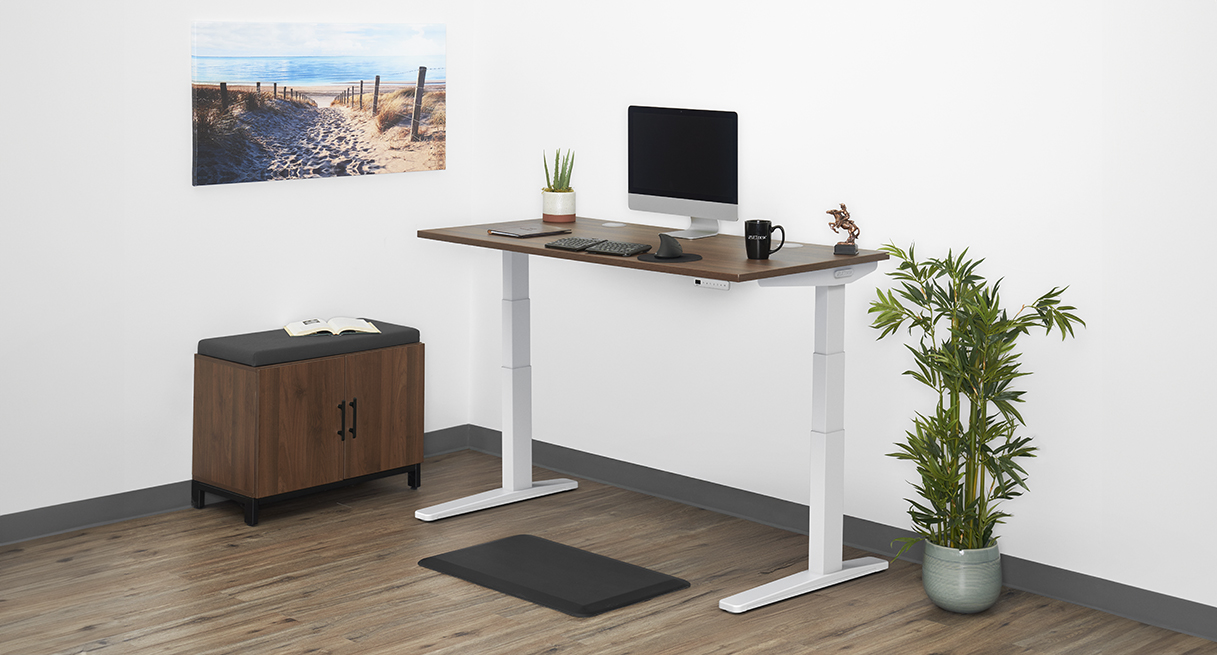
- UPLIFT Desk See price, with a 42 x 30 in laminate top
- UPLIFT Desk See price, frame only
What I love
- A top as small as 42 x 24 inches
- A lower sitting height than the E7 Pro
- A 15-year warranty that covers the desktop
- A felt pouch in the box
Good to know
- It costs more than the E7 Pro, frame alone or as a whole desk
- A free return needs the original packaging
Best for: a spare corner or a small home office where every inch counts.
Every V3 comes with a felt pouch that hangs under the back edge and holds your cords, plus cable wraps to keep them in line. It’s nice to have your cords sorted before you’ve bought a single add-on!
Specs22.6 to 48.7 in, with a 1 in top
- Height
- 22.6 to 48.7 in, with a 1 in top
- Fits
- 5’0″ to 6’3″, UPLIFT Desk’s range
- Lifts
- 355 lb, desktop included
- Motors
- Two
- Speed
- 2 in per second
- Noise
- Under 48 dB
- Frame width
- 41.3 to 72.2 in
- Takes tops
- 42 to 80 in wide, 24 or 30 in deep
- Warranty
- 15 years on the desktop, frame, motors and electronics
- Returns
- 30 days, like new, in the original packaging
Where to buy the V3
UPLIFT Desk, with a 42 x 30 in laminate topView1 more seller
UPLIFT Desk, frame onlyViewFlexiSpot vs UPLIFT Desk: which is better?
A heavy setup, like a PC tower, two big monitors or a solid wood top, belongs on the E7 Pro. Its motors lift more than the V3’s, and it reaches higher when you want the desk up high.
The V3 is the better fit if you like the desk low when you sit, since its range starts lower. Its tops also come narrower than the E7 Pro’s, so it’s the one for a small corner.
And if you work long hours at a computer and like a tidy desk, we’d point you to the V3. Its cord setup is top-notch.
UPLIFT V3 vs FlexiSpot E7 Pro, side by side
Both have two motors, a 15-year warranty on the frame, 30-day returns and free shipping.
| FlexiSpot E7 Pro | UPLIFT V3 Standing Desk | |
|---|---|---|
| Desktop widths | 48 to 80 in | 42 to 80 in |
| Desktop depths | 24 to 30 in | 24 or 30 in |
| Height, as listed | 25.0 to 50.6 in | 22.6 to 48.7 in, with a 1 in top |
| Lifts | 396 lb | 355 lb, top included |
| Holds standing still | 573 lb | Not listed |
| Motors | Two | Two |
| Speed | Not listed | 2 in per second |
| Noise | No figure listed | Under 48 dB |
| Warranty, frame and motors | 15 years | 15 years |
| Warranty, desktop | 2 years, 5 for solid wood | 15 years |
| Returns | 30 days, like new | 30 days, like new, original packaging |
| Shipping | Free to 48 states | Free to 48 states, same day by 3pm Central |
Plenty of the comparisons you’ll find online still line the E7 Pro up against the UPLIFT V2. UPLIFT Desk only sells its 2-leg desk as the V3 now. The V3 came out in September 2025 and replaced the V2.
UPLIFT Desk gave the V3 a steadier frame, a build that needs one tool and the felt pouch. It doesn’t go quite as high as the V2 did.
Which one fits a small space?
The E7 Pro’s frame needs a top at least 47.2 inches wide, and FlexiSpot’s smallest top is 48 x 24. So if your spot is under 4 feet across, FlexiSpot doesn’t sell a top that fits it.
The V3’s tops start at 42 x 24, and its frame narrows down to fit one. Ours is that size, set up in a corner by a window, and it fits that spot perfectly.
Depth works the same way on both. Each comes as shallow as 24 inches if you’re short on floor, or 30 inches deep if you’d like more room to spread out.
Which one goes lower, and which goes higher?
The V3 goes lower, and the E7 Pro goes higher. The V3 runs from 22.6 to 48.7 inches with a 1-inch top on it, which puts its lowest setting below the E7 Pro’s.
FlexiSpot lists the E7 Pro at 25.0 to 50.6 inches, without saying whether that counts a desktop. If it doesn’t, your top’s thickness gets added at both ends.
The V3’s lower reach matters most when you sit. When we sit at ours, we drop it a few inches lower than a dining table, so our shoulders aren’t hunched up.
Casters raise the whole range. UPLIFT Desk’s Soft Roll casters add 2.5 inches, so leave them off if you need the desk at its very lowest.
UPLIFT Desk rates the V3 a comfortable fit for people from 5’0″ to 6’3″. If you’re inside that range, the V3 should cover you sitting and standing, and if you’re taller, the E7 Pro’s extra reach is worth having.
Does the V3 or the E7 Pro wobble more?
Our V3 is rock solid at standing height, even when we lean on it or type hard. Its frame is braced up under the top, so there’s no crossbar down by your knees.
We haven’t had an E7 Pro to push on. On FlexiSpot’s own store, owners with big tops say it stays steady even when it’s raised high.
Nobody here has tried either one with two monitors at full height, since ours carries one monitor and a laptop.
So ours holds steady at standing height, and from its owners’ reviews, the E7 Pro does as well.
Which one is quieter and faster?
There’s no telling for sure, since only UPLIFT Desk gives numbers. It lists the V3 at under 48 decibels and 2 inches per second, and on ours, the motor is noticeable when the desk moves, but not loud.
FlexiSpot doesn’t give a speed or a decibel figure for the E7 Pro, only that it’s quieter than typing on a keyboard. On its store, owners say the motor runs smooth and quiet.
For a desk you’ll raise and lower a few times a day, noise and speed shouldn’t decide it.
How hard is each one to put together?
Ours went together easily, apart from one step. Once all the parts had arrived, we had it built in about an hour and a half, and a lot of that was unboxing.
The tricky part was turning the finished desk upright. It’s heavy, so that’s the one step that took two people.
The V3’s frame goes together with a single Allen wrench. If you’d rather not build it at all, UPLIFT Desk has an assembly service you can book after you order.
With the E7 Pro, the frame ships at 86.6 lb, so you’ll want help getting the box inside. Its weak spot is the instructions, which frustrate some owners.
Which has the better warranty, returns and shipping?
On the parts that move, it’s a tie, with 15 years on the frame, the motors and the electronics from both. The difference is the desktop. UPLIFT Desk’s 15 years cover the top as well, where FlexiSpot covers its desktops for 2 years, or 5 for solid wood.
Both take back a like-new desk within 30 days, and neither charges you for a standard return. The V3 has to go back in its original packaging, so hang on to the boxes for that first month.
Shipping’s free to the 48 contiguous states with either one. The V3 can be on its way the same day if you order by 3pm Central on a business day.
With the E7 Pro, the top ships in its own box, and a damaged top or one missing some of its drilled holes is the complaint that comes up. Open that box before you start on the frame, because a bad top is far easier to sort out before the build than halfway through it.
Pieces can go missing with the V3, too. Our first shipment came without its leg brackets, so UPLIFT Desk sent a whole second desk, and it showed up quickly. They kept checking in until we had everything.
That desk came to us for review, though, so a regular order might not get the same treatment. The whole story, brackets and all, is in our UPLIFT V3 Standing Desk review.
Is the UPLIFT V3 worth paying more for?
The V3 is worth the extra only if you’ll use what it adds. The extra money buys a warranty that covers the desktop for all 15 years, the felt pouch, the smaller sizes the E7 Pro doesn’t come in, and a lower range.
It doesn’t buy you a bigger top or a stronger lift, since the E7 Pro has both.
Don’t buy the V3 if you won’t stand while you work, though. We’d call it money wasted then, and that goes for any standing desk.
Is there a less expensive FlexiSpot or UPLIFT desk?
Yes, one from each brand. The FlexiSpot E7 is the step down from the E7 Pro, and it keeps the same 15-year warranty as the Pro.
It sits lower than the Pro and carries less weight, and it needs the same width of top. Our FlexiSpot E7 review has the rest.
UPLIFT Desk’s newer step down is the UPLIFT V3 Essential Standing Desk. It comes in one size, 46 x 24 with a walnut laminate top, and it lifts less than the V3.
Its warranty is shorter, 5 years instead of 15. If budget’s the main thing, I’d look at the FlexiSpot E7 first for that reason.
Questions people ask
Is FlexiSpot as good as UPLIFT Desk?
For these two desks, yes. The E7 Pro gives up nothing on the motors or the frame warranty, and it lifts more.
Which holds more weight, the E7 Pro or the V3?
The E7 Pro. Its motors lift 396 lb, and its frame holds 573 lb when it’s standing still. The V3 lifts 355 lb, and that figure counts the desktop.
For most home office setups, that gap won’t matter much.
Can you buy just the frame?
Yes, both sell the frame on its own. The E7 Pro’s frame takes a top from 47.2 to 80 inches wide, and the V3’s frame takes one from 42 to 80 inches wide.
That’s handy if you’ve already got a top you love!
Sources
- FlexiSpot, Premium Standing Desk (E7 Pro): desktop sizes, height, width, lift and static load, motors, noise wording, frame weight and shipping weight, stability features, warranty, returns and shipping, read November 4, 2026.
- Owner reviews on the same E7 Pro page, read September 25 and November 4, 2026, for what owners like and complain about.
- FlexiSpot, Premium Standing Desk (E7): lift, height, desktop fit and warranty, read October 11, 2026.
- UPLIFT Desk, V3 Standing Desk and UPLIFT Desk, V3 2-Leg Frame: desktop sizes, frame width, lift, speed, noise, fit range and frame depth, and their owner reviews, both read November 4, 2026, using only reviews dated after the V3’s September 2025 launch.
- UPLIFT Desk, product comparison charts: height with a 1 in desktop and the frames still sold, read November 4, 2026.
- UPLIFT Desk, Warranty, read October 27, 2026, and Returns, read November 4, 2026.
- UPLIFT Desk, Shipping, the assembly service, read October 27, 2026.
- UPLIFT Desk, Soft Roll Desk Casters, read October 27, 2026.
- UPLIFT Desk, V3 Essential Standing Desk, read November 4, 2026, and its warranty on the warranty page, read October 27, 2026.
- UPLIFT Desk, “The Next Chapter: How the V3 Frame Builds on a Legacy of Excellence,” September 18, 2025: what changed from the V2, read November 4, 2026.
Prices and stock, read by hand, November 4, 2026.
How these numbers get checked: How Corner Nook researches these pages.